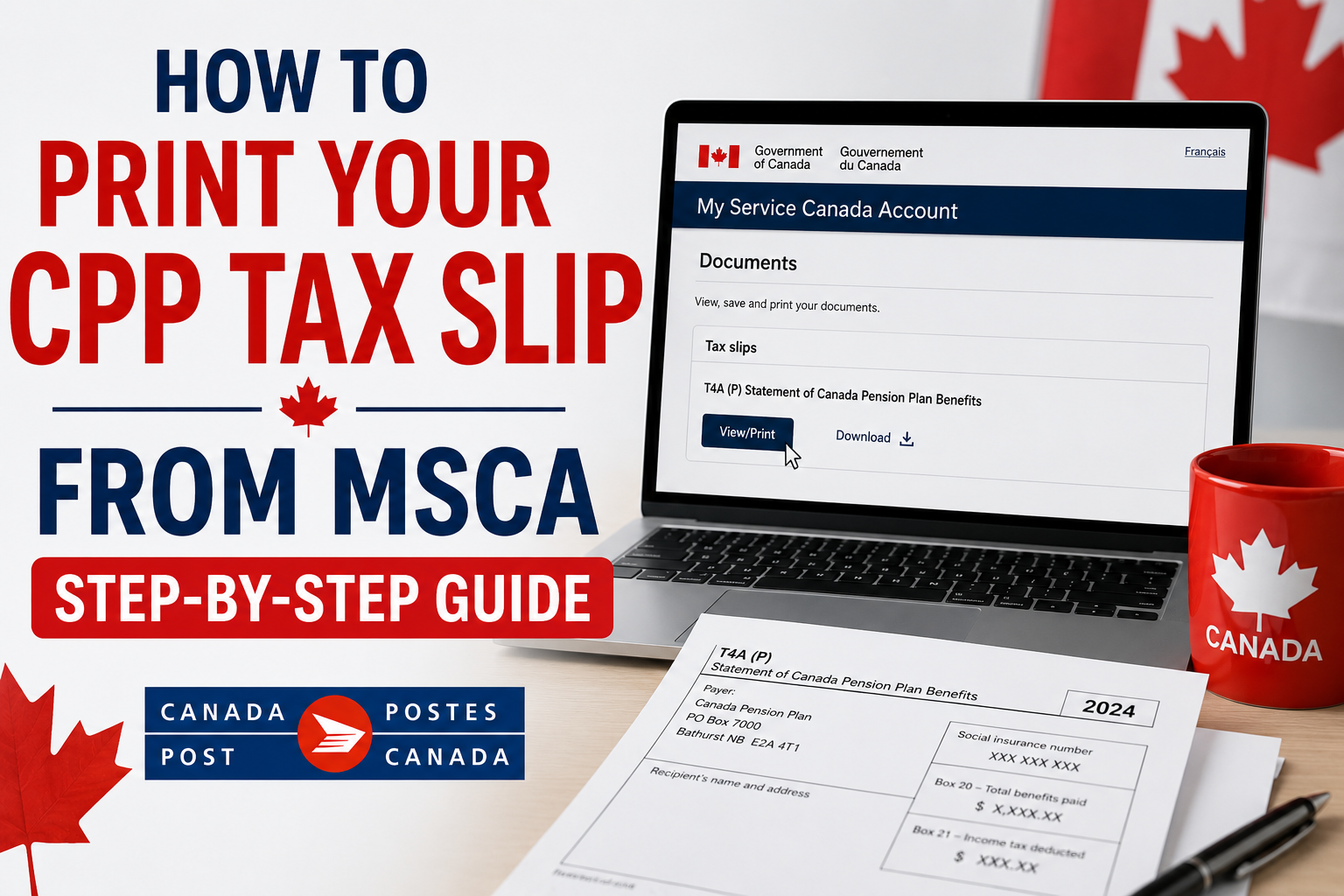
When you get Canada Pension Plan (CPP) benefits, it would be wise for you to learn How to Print Your CPP Tax Slip from MSCA. This will ensure that you easily get your tax documents during tax time without having to wait for any paper copies to arrive in the mail. CPP beneficiaries can now use My Service Canada Account (MSCA) to download their T4A(P) Statement of Canada Pension Plan Benefits.
The CPP tax slip gives the information on the CPP benefit payments that you have received for the year, which will help you to file your income tax and provide accurate pension income. It is important to access the document via MSCA to make sure that you have the official tax slip from Service Canada.
What is a CPP Tax Slip?
The tax form that Service Canada sends to taxpayers reporting the CPP benefits they have received in a particular year is called CPP Tax Form. Officially it is called T4A(P) Statement of Canada Pension Plan Benefits.
Wondering how difficult it is to qualify for CPP Disability? Read the complete guide here.
The slip contains information that may be needed for filing your taxes; among other things, it states the total amount of CPP benefits you have received during the year and the income tax, if any, that was deducted from them. Keeping this document with your tax records can help you refer back to your pension information when needed.
Canada CPP Tax Slip: A Quick Overview
| Tax slip name | T4A(P) Statement of Canada Pension Plan Benefits |
| Access method | My Service Canada Account |
| Issued by | Service Canada |
| Main purpose | Reporting CPP benefits on your tax return |
| Available format | Electronic copy or mailed paper copy |
How to Print your CPP Tax Slip From MSCA
You can access your CPP tax slip online via MSCA and print a copy by following these steps.
Step 1: Sign in to My Service Canada Account
To start with, you should navigate to the official website of the My Service Canada Account (MSCA) website and log into your account using your credentials. MSCA allows the users access to many government services online such as Canada Pension Plan (CPP) information.
To log in, you can use GCKey, Sign-In Partner from your bank, or any other government portal login option. In case you do not have an MSCA account, you will need to register on the portal first to view your CPP information.
Step 2: Find Your CPP Tax Slips
After signing into your account, open the CPP section from your MSCA dashboard. Look for the option “View my tax slips”. If your tax slip is there, you can open the document and access your official T4A(P)/NR4 tax slip.
Still working after starting CPP? Learn how the CPP Post-Retirement Benefit works.
Step 3: Select The Correct Tax Year
Select the tax slip for the year needed prior to downloading the document. Ensure that the chosen tax slip reflects the appropriate tax year along with the correct information relating to CPP benefits. Choosing the correct document helps avoid errors while preparing taxes.
Step 4: Download & Print Your Tax Slip
After opening the CPP tax slip:
- Download the PDF file to your device and open the saved document.
- Select the print option from your PDF viewer.
- Choose your printer settings and print the document
The document can also be kept as an electronic copy or shared with a tax expert if needed.
When Can I Get My CPP Tax Slip Online?
Your CPP tax slip is generally available via My Service Canada Account (MSCA) after February 1 each year for the previous year. Upon availability, you can log in to your account at MSCA website and access your official T4A(P) Statement of Canada Pension Plan Benefits.
Alternatively, in case of paper tax slip or if you have not elected for online access, Service Canada usually sends the same via mail after the last day of February.
Accessing your tax slip via MSCA is usually the fastest option because it becomes available online as soon as it is issued. If your tax slip is not available after February 1, check your MSCA account again later, as availability may vary in some situations.
What If My CPP Tax Slip Is Missing From MSCA?
If your CPP tax slip does not appear in MSCA, ensure that you are looking at the right account and the right tax period. It is equally crucial that your personal data is accurate and that the slip has indeed been issued. There could be some cases when your T4A(P)/NR4 will not be accessible online.
For example, this could happen if you have just gotten yourself a new Social Insurance Number or for some other reasons defined by Service Canada. If you still cannot access the document, you may need to contact Service Canada for assistance.
Want to know the latest CPP contribution limits? See the 2026 CPP contribution rates.
Common CPP Tax Slip Printing Issues
| Problem | Solution |
|---|---|
| Tax slip is not available | Check the issue date and selected tax year |
| PDF will not open | Try using a different browser or upgrade your PDF reader |
| Printer does not respond | First download the PDF and then print the saved file |
| Wrong document selected | Go back to the tax slips and select the right year |
Can You Print A CPP Tax Slip From CRA My Account?
No. You cannot print your CPP tax slip directly from CRA My Account. The Canada Pension Plan (CPP) benefit tax slips, which include the T4A(P) Statement of Canada Pension Plan Benefits, are issued through My Service Canada Account (MSCA) since it is Service Canada that handles the issuance of CPP benefits.
Once you log into MSCA, you will be able to access the tax slips that are available to you, download them in PDF format, and print them out for your personal use. If you cannot find your CPP tax slip online, check that it has been issued for the tax year or contact Service Canada for assistance.
How Long Should You Keep Your CPP Tax Slip?
It would be wise to retain your CPP tax slip with your tax papers after the filing of your return. Usually, it is advised by the Canada Revenue Agency (CRA) that you keep your tax papers and relevant documents for at least six years starting from the close of the final tax year to which they relate.
Your retention of T4A(P) slip can come in handy if you have to prove the history of your CPP income, answer an inquiry from the CRA, or check back on previous tax information. Storing both a printed copy and a secure digital copy can make your records easier to access when needed.
Not sure how many years you need to work in Canada? Find out the pension eligibility rules.
Access Your CPP Tax Slip With Confidence
My Service Canada Account (MSCA) provides an easy and secure channel that allows you to receive your official CPP tax slip once it has become available. By downloading the T4A(P) Statement of Canada Pension Plan Benefits at an early stage, checking its correctness and retaining it in your records, you will be able to save yourself from the inconvenience of having to rush around at tax time.
In case you cannot access your tax slip on time due to any reasons whatsoever, log into your SCA and get help from Service Canada at any point in time. Using the official government portal helps ensure you are working with the most up-to-date tax information when preparing your income tax return.
FAQ’s
How to print my CPP tax slip using MSCA?
Login to My Service Canada Account, go to the Canada Pension Plan section, click on “View my tax slips,” select the right tax year, download the PDF file, and print the slip.
Why can’t I locate my CPP tax slip on MSCA?
The reason why your CPP tax slip is not available might be that the slip hasn’t been generated yet, you picked the incorrect tax year, or your personal data should be updated. There may also be certain cases when the slip isn’t available online.
Is the CPP tax slip from MSCA an official document?
Yes. An electronic T4A(P)/NR4 tax slip obtained via MSCA is a official document issued by Service Canada.
Is there any option to save my CPP tax slip without printing it?
Yes. There is the option to save the PDF version of your CPP tax slip electronically. A saved copy can be useful for your personal tax records.
What do I do when I lose my CPP tax slip?
If you have the CPP tax slip on MSCA, you can get an additional copy through downloading. If you cannot access it online, you can get assistance from Service Canada
Do I need to send my CPP tax slip to CRA?
As long as you are filing your income tax return online, you do not have to mail your tax slips. However, keep your CPP tax slip in your personal records.
Official Sources
Disclaimer : This article is for general information purposes only and relies on official data from the Government of Canada that was current at the time of publication. Processes, services, and availability of CPP Tax Slips can vary. For more current information, or to assist with your specific case, visit My Service Canada Account or contact Service Canada.
Curious about the average CPP payment? Check the latest average CPP benefits.

Ritika's writing philosophy is built on one core principle: every person deserves access to clear, accurate, and actionable benefit information — without having to wade through confusing government language. Her guides are trusted by seniors, working families, and low-income households across North America who rely on timely payment updates and eligibility information.
All content written by Ritika is thoroughly research-based, sourced from official government portals including SSA.gov, Canada.ca, and CRA publications.